# Packer CentOS 8
> Easily transition to CentOS 8 with Packer and Vagrant, featuring Cockpit for efficient server management.
- Canonical: https://www.russ.cloud/2019/10/13/packer-centos-8/
- Published: 2019-10-13
- Author: Russ McKendrick
- Tags: Packer, Linux
---
Now that CentOS 8 has been out for a few weeks I decided it was time to dip my toe in the water and update the CentOS 7 Packer scripts I had to work with CentOS 8.
For those that don’t know, [Packer by Hashicorp](https://www.packer.io), is a tool which allows you to build your own images from a number of sources and use them on a number of platforms - Hashicorp describe Packer as;
> HashiCorp Packer is easy to use and automates the creation of any type of machine image. It embraces modern configuration management by encouraging you to use automated scripts to install and configure the software within your Packer-made images. Packer brings machine images into the modern age, unlocking untapped potential and opening new opportunities.
I took my [CentOS 7 Packer configuration](https://github.com/russmckendrick/packer-centos7) and tweaked it as the build process wasn’t different, the repo containing the CentOS 8 configuration can be found at [https://github.com/russmckendrick/packer-centos8](https://github.com/russmckendrick/packer-centos8).
Running the build went as expected, building using VMWare with the following command;
```bash frame="terminal" title="Packer CentOS 8 1/6"
$ packer build -only vmware-iso CentOS_8.json
```
Gave the following;
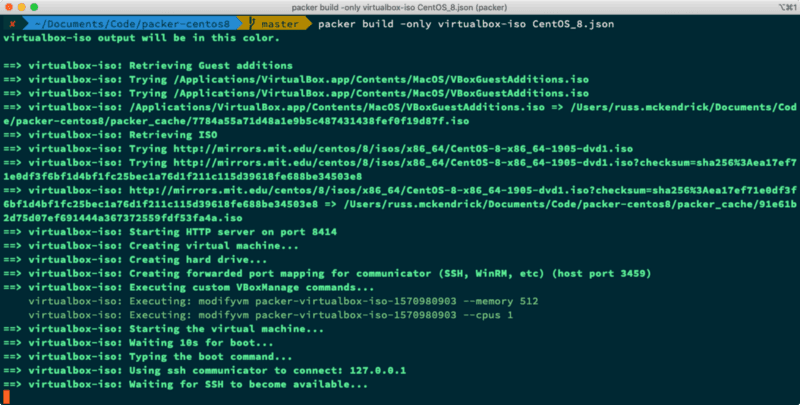
For VirtualBox I ran;
```bash frame="terminal" title="Packer CentOS 8 2/6"
$ packer build -only virtualbox-iso CentOS_8.json
```
and got;
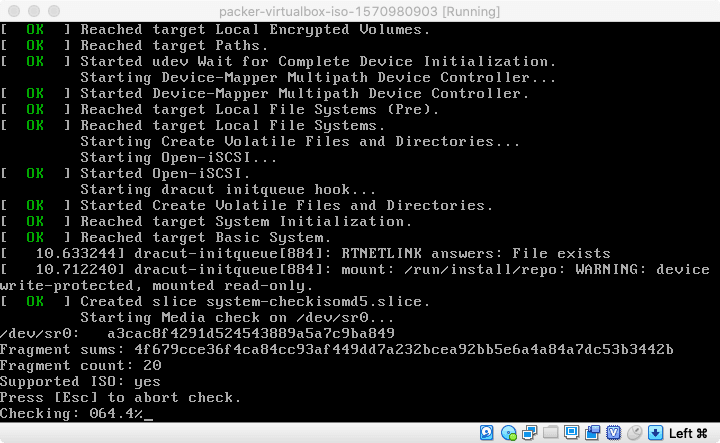 Once I have the two Vagrant boxes the Packer configuration produced I uploaded the them to [Vagrant Cloud](https://portal.cloud.hashicorp.com/vagrant/discover/russmckendrick/), you can find them both at https://portal.cloud.hashicorp.com/vagrant/discover/russmckendrick/centos8](http://app.vagrantup.com/russmckendrick/boxes/centos8). Once uploaded I used Vagrant to launch my first CentOS 8 server;
```bash frame="terminal" title="Packer CentOS 8 3/6"
$ mkdir ~/centos8 $ cd ~/centos8 $ vagrant init russmckendrick/centos8 $ vagrant up
```
Once launched, I used `vagrant ssh` to login and check the release file;
As you can see, I was prompted to to activate the web console, to do this I ran the following commands within the Vagrant box;
```bash frame="terminal" title="Packer CentOS 8 4/6"
$ sudo systemctl enable --now cockpit.socket $ sudo systemctl start cockpit
```
Then found out the IP address of the Vagrant box by running;
```bash frame="terminal" title="Packer CentOS 8 5/6"
$ vagrant ssh -c "ip address show | grep 'inet ' | grep -v '127.0.0.1' | sed -e 's/^.*inet //' -e 's/\/.*$//'" 2> /dev/null
```
For me, this returned `192.168.151.129`, I then went to the following URL [https://192.168.151.129:9090/](https://192.168.151.129:9090/) and was greeted by a login page;
Once I have the two Vagrant boxes the Packer configuration produced I uploaded the them to [Vagrant Cloud](https://portal.cloud.hashicorp.com/vagrant/discover/russmckendrick/), you can find them both at https://portal.cloud.hashicorp.com/vagrant/discover/russmckendrick/centos8](http://app.vagrantup.com/russmckendrick/boxes/centos8). Once uploaded I used Vagrant to launch my first CentOS 8 server;
```bash frame="terminal" title="Packer CentOS 8 3/6"
$ mkdir ~/centos8 $ cd ~/centos8 $ vagrant init russmckendrick/centos8 $ vagrant up
```
Once launched, I used `vagrant ssh` to login and check the release file;
As you can see, I was prompted to to activate the web console, to do this I ran the following commands within the Vagrant box;
```bash frame="terminal" title="Packer CentOS 8 4/6"
$ sudo systemctl enable --now cockpit.socket $ sudo systemctl start cockpit
```
Then found out the IP address of the Vagrant box by running;
```bash frame="terminal" title="Packer CentOS 8 5/6"
$ vagrant ssh -c "ip address show | grep 'inet ' | grep -v '127.0.0.1' | sed -e 's/^.*inet //' -e 's/\/.*$//'" 2> /dev/null
```
For me, this returned `192.168.151.129`, I then went to the following URL [https://192.168.151.129:9090/](https://192.168.151.129:9090/) and was greeted by a login page;
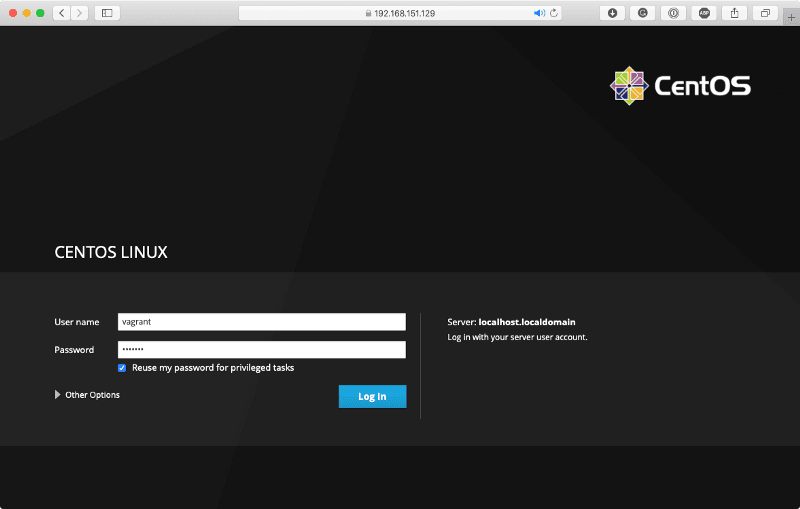 Using the username and password of “ **vagrant**” I logged in and got;
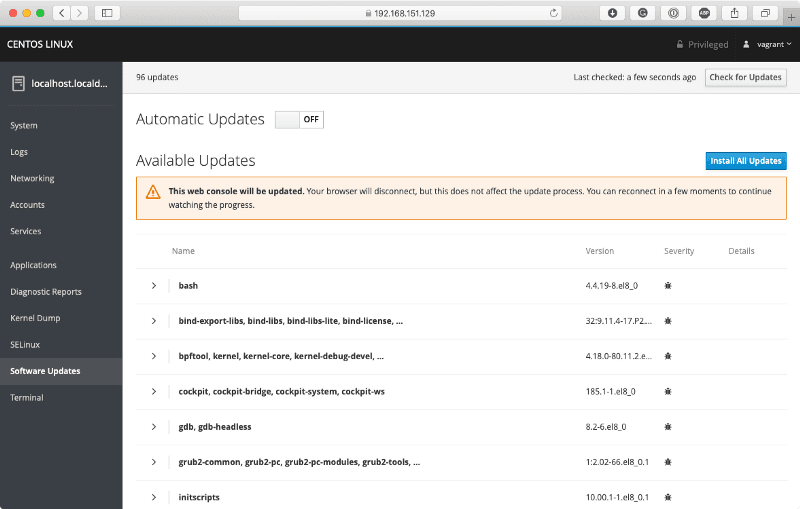
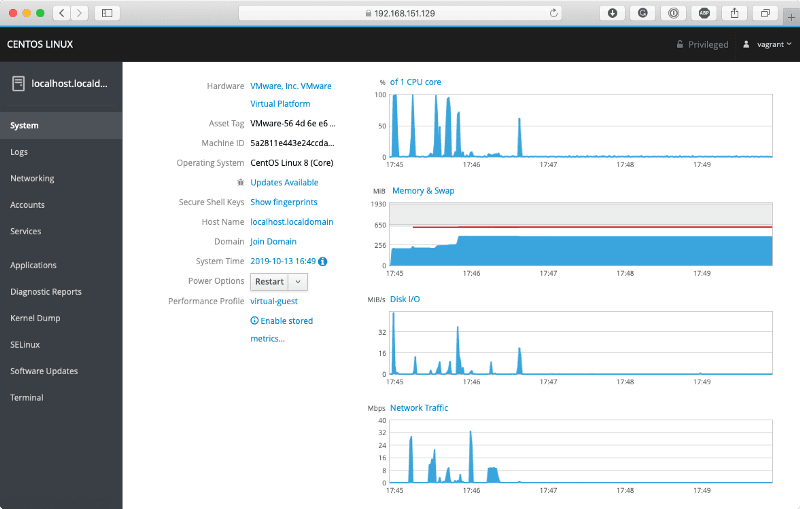 As you can see, these are the basic stats, there are also updates available, most of which appear to be bug fixes;
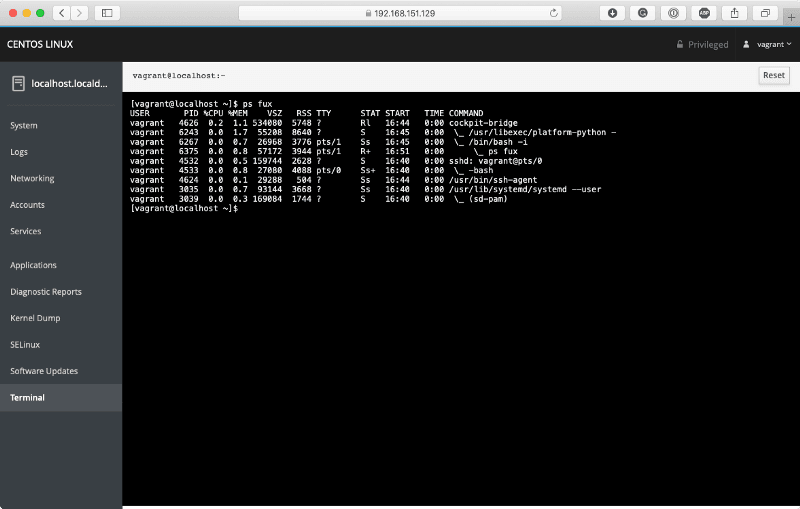
 Also, Cockpit comes with its own built in Terminal;
 Finally, to remove the Vagrant box I ran;
```bash frame="terminal" title="Packer CentOS 8 6/6"
$ vagrant destroy
```
This stopped and removed the box and concluded my very brief play with CentOS 8. Expect more posts soon(ish).
Finally, to remove the Vagrant box I ran;
```bash frame="terminal" title="Packer CentOS 8 6/6"
$ vagrant destroy
```
This stopped and removed the box and concluded my very brief play with CentOS 8. Expect more posts soon(ish).