# Microsoft Azure Portal URLs
> Access Microsoft Azure portals efficiently with handy URLs for Azure, Azure Active Directory, Resource Explorer, and Cloud Shell.
- Canonical: https://www.russ.cloud/2019/06/15/microsoft-azure-portal-urls/
- Published: 2019-06-15
- Author: Russ McKendrick
- Tags: Azure, Cloud, Tools
---
As I am finding myself using Microsoft Azure more and more I thought I would make some notes about how to quickly access the various web portals.
### The Azure Portal
A lot of the time I use the standard [http://portal.azure.com/](http://portal.azure.com/) URL, but as I started having to jump around various accounts for work and also personal use, I discovered that there were some great short cuts you can use. The quickest of these I have been using to navigate the main Azure portal is appending the primary domain of the tenant you want to access to the end of the URL, for example [http://portal.azure.com/myadtenant.onmicrosoft.com](http://portal.azure.com/myadtenant.onmicrosoft.com);
This will get you straight into the selected tenant without having to switch once logged in.
This approach works great if you are sharing the same login across many tenants as I do at work as we are an Azure Cloud Solution Provider.
I would recommend making bookmarks of the various accounts and using those rather than typing each time :)
As a bonus, this also works for the preview version of the Azure Portal which can be accessed at [http://preview.portal.azure.com/](http://preview.portal.azure.com/).
### Azure Active Directory Admin Center
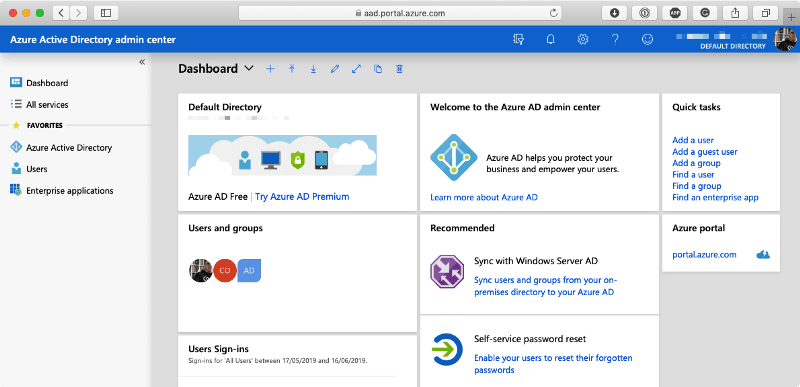
Going to [https://aad.portal.azure.com/](https://aad.portal.azure.com/) takes you straight to the Azure Active Directory Admin Center. This is a cut-down portal which, as you will have already guessed, can be used to administer your Azure Active Directory tenant.
 ### Azure Resource Explorer
Update 06/2024 - Please note, this service, while functional, is giving a certificate error so please use it with caution.
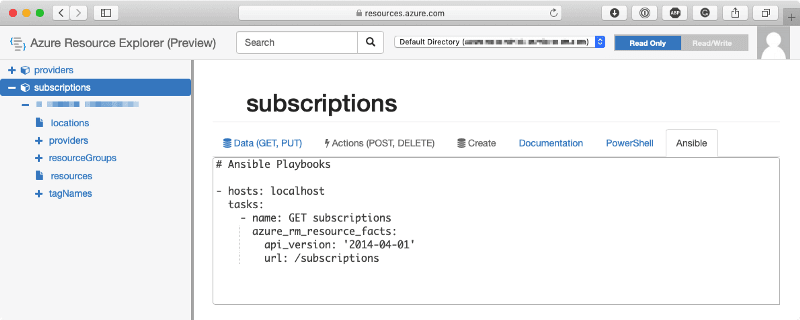
The next portal is quite impressive, going to [https://resources.azure.com/](https://resources.azure.com/) takes you to the resource explorer, this is an interface to the Azure management API;
### Azure Resource Explorer
Update 06/2024 - Please note, this service, while functional, is giving a certificate error so please use it with caution.
The next portal is quite impressive, going to [https://resources.azure.com/](https://resources.azure.com/) takes you to the resource explorer, this is an interface to the Azure management API;
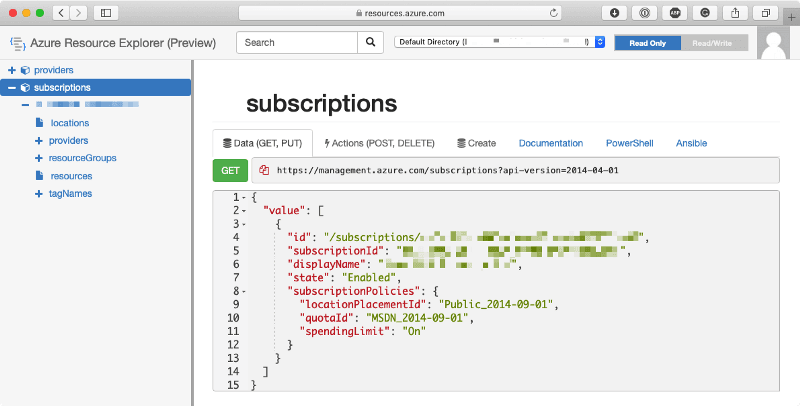
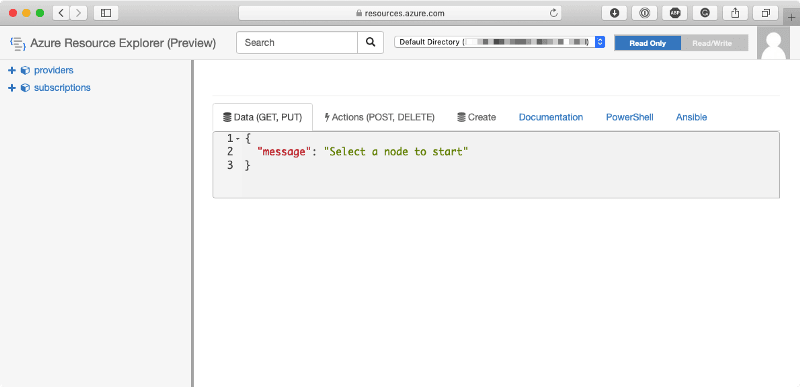 From the menu on the left-hand side you can start to drill down into your resources as if you were running an API request;
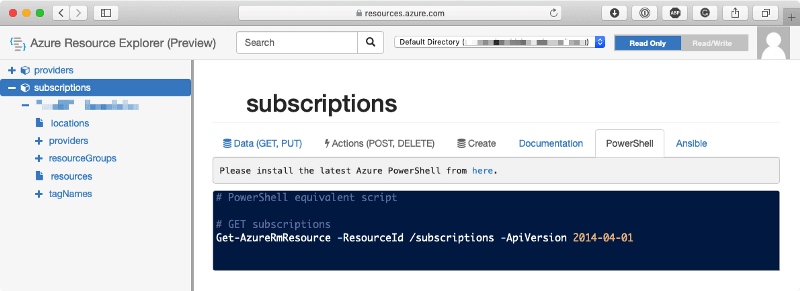
 From the results on the right side you can then press the PowerShell tab to get the PowerShell command used to to get the results;
 Selecting Ansible will give you the Ansible code needed to query the Azure Management API from within your playbooks using the `azure_rm_resource_facts` module;
 This portal is excellent for exploring the API and also debugging scripts/playbooks.
### Cloud Shell
The next portal is full-screen cloud shell, to access it goto [https://shell.azure.com/](https://shell.azure.com/), once loaded you should see something like;
This portal is excellent for exploring the API and also debugging scripts/playbooks.
### Cloud Shell
The next portal is full-screen cloud shell, to access it goto [https://shell.azure.com/](https://shell.azure.com/), once loaded you should see something like;
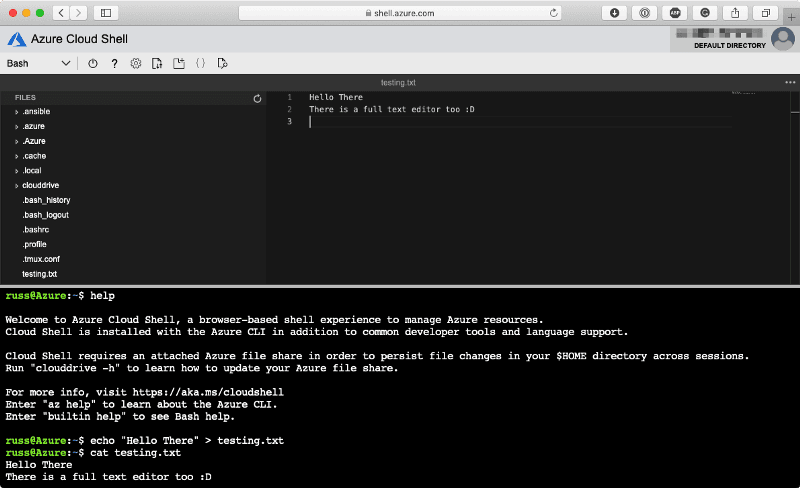 Like the regular Cloud Shell, you can switch between Bash and PowerShell, as well as use the inbuilt file manager and text editor.
### Accounts
There are several portals where you can access details on various subscriptions etc. outside of the main Azure Portal;
There are just some of the ones I am finding myself using through-out my working day, if you know of more stick them in the comments.
Like the regular Cloud Shell, you can switch between Bash and PowerShell, as well as use the inbuilt file manager and text editor.
### Accounts
There are several portals where you can access details on various subscriptions etc. outside of the main Azure Portal;
There are just some of the ones I am finding myself using through-out my working day, if you know of more stick them in the comments.